Twotrees SK1 Reviews: See Why 0 Shoppers Rated It 0 Stars!
Everyone’s got opinions. We collected 0 of them to see if the Twotrees SK1 3d printer really earns that 0/5 rating.


 Recaptor
Twotrees SK1: A Versatile CoreXY 3D Printer for Both Consumers and Professionals
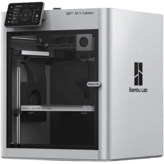
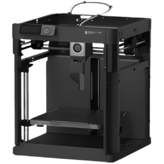
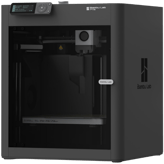
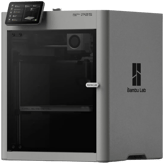
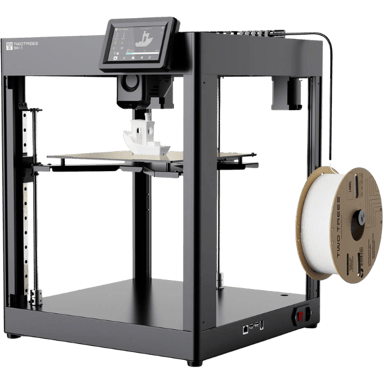
The Twotrees SK1 arrives as a compelling option in the competitive realm of 3D printers, designed with both intermediate and advanced users in mind. It caters to diverse applications, ranging from prototyping and miniatures to more demanding engineering tasks, thanks to its flexible features and core specifications. What stands out most about the SK1 is its CoreXY frame and open enclosure setup, which promise precision and efficiency in printing, backed by a suite of modern hardware and connectivity features. Based on its measurable data, this 3D printer seems to balance performance and user accessibility, making it a noteworthy choice whether you're stepping into 3D printing or upgrading your professional toolkit.
Detailed Specs & Features
On paper, the SK1 boasts a build volume of 1011.85 cubic inches, configured within a 10.08 x 10.07 x 10.08 inch build area, which is quite generous for detailed medium-scale projects. This generous workspace suits its intended consumer and professional use cases, giving users room to experiment or deliver functional prototypes. The printer's FDM/FFF technology employs a direct drive extruder system with a standard nozzle diameter of 0.4mm and optional sizes down to 0.2mm and up to 0.8mm, enhancing versatility in print details and speed.
The SK1 operates on an internal power supply rated between 100-240 volts, consuming 350 watts under typical printing conditions with a more economical 50-watt idle consumption, demonstrating reasonable energy efficiency for a printer of its class. Its operating temperature range of 59-86°F and humidity tolerance (20-60%) ensure reliable performance across typical indoor environments, confirming its readiness for consistent workflows.
Connectivity takes a modern turn with LAN capability, remote monitoring, and firmware updates supported both manually and remotely, making management accessible and user-friendly. The touchscreen measures a balanced 4.3 inches, providing an intuitive interface backed by a 480x320 pixel resolution that is detailed without being overwhelming. Its compatibility with Orca Slicer software and support for 3MF files further streamlines the printing process for users who demand precision and control.
User Experience & Performance (Based on Specs)
Design & Build
The CoreXY frame design is one of the printer's crucial engineering choices, enhancing motion accuracy and print speed by optimizing axis movement. Coupled with an open enclosure, it aims to provide easy access and visibility during printing, supported by white chamber lighting and a built-in camera, which adds practical oversight for print monitoring. The 35.27-pound weight and compact dimensions of roughly 18.31 inches on width and depth make it portable enough for desktop setups, without compromising stability. Additionally, the printer supports auto and manual bed leveling, which means users can expect better first-layer adhesion aided by the PEI build plate's textured surface.
Performance
In daily use, the declared official max print speed is an impressive 700 mm/s, though the effective print speed realistically averages around 250 mm/s. This distinction is crucial because it shows the SK1's ability to ramp up for high-speed prints while maintaining print accuracy with a minimum layer resolution of 50 microns. Overhang and bridging performance rates settle comfortably around the mid-50th percentile, signaling reliable results with complex geometries. Safety-wise, features like CE certification, an emergency stop button, and overheat protection ensure the device meets fundamental safety standards, which is reassuring, especially when operating for extended sessions.
Camera & Display
The presence of a built-in camera accompanied by real-time remote monitoring capabilities supports users who want to keep tabs on prints without being physically present. Complementing that is the 4.3-inch touchscreen, a sensible size that offers responsive operation without crowding. Operating noise levels at 55 decibels suggest a quieter environment relative to many competing CoreXY printers, which adds to user comfort during extended usage.
Extra Features
Additional perks include filament auto-loading that simplifies startup processes, power loss recovery, securing interrupted prints, and a filament runout sensor preventing print failures caused by depleted materials. The SK1's promise of upgrade paths, specifically the option to add an enclosure, hints at future-proofing for users keen on extending printer capabilities. Moreover, vibration compensation and print farm management reflect careful attention to printing stability and scalability. These features combined suggest that the printer is built to sustain quality while adapting to evolving user needs and complex workflows.
Pros & Cons
Pros
- Strong print volume and versatile nozzle options supporting detailed and large prints
- Integrated remote monitoring with a built-in camera and touchscreen enhances user convenience.
- Safety features, including CE certification, emergency stop, and overheat protection, establish trustworthy operation.
- Upgrade possibilities and maintenance support ensure long-term adaptability and serviceability.
Cons
- An open frame design may limit environmental control for advanced material printing.
- Lacks multi-material printing capabilities, restricting some professional use cases
Price & Value For Money
Offering the Twotrees SK1 at $358.99 at Twotrees3D.com positions it competitively within entry-level professional 3D printers. Given its 1-year warranty and flexible upgrade path, the pricing feels justified for users seeking capabilities that straddle hobbyist and light industrial stakes. While it does not include certain premium features like an enclosed build chamber or multi-material printing, its reliability tools, like filament detection and power-loss recovery, add significant value without inflating costs.
Quick Take
In short, the Twotrees SK1 combines a robust build volume and precise CoreXY mechanics with user-friendly tech features like remote monitoring and filament auto-loading. If we look at the numbers alone, it offers a balanced package backed by safety certifications and upgrade support. This makes it an appealing candidate for those looking to scale from beginner projects to more challenging professional-grade prints without overspending.
Closing Recommendation
The Twotrees SK1 may be ideal for intermediate users and small businesses wanting a reliable, high-accuracy FDM printer with solid connectivity and upkeep features. It appears to perform best for printing plastics and wood filaments at mid to high speed. However, users requiring multi-material capabilities or enclosed environments might want to explore other options. Overall, it helps users achieve consistent, quality results supported by thoughtful safety and maintenance measures.
Verdict
Rating: Based on the specifications and overall feature set, we believe Twotrees SK1 deserves 4.3 out of 5.
- Winner Feature => A strong CoreXY frame with ample build volume and advanced remote monitoring features.
- Needs Improvement => The lack of enclosure and multi-material print support may limit use cases for specialized professional printing.
Reviews 0
The good, the bad, and the brutally honest.Average Rating

More 3D Printers 453
Unlock more awesome finds.